
Ultimate Guide to Downloading Diablo 3 on Your Favorite Platform
Key Takeaways
- Diablo 3 is an acclaimed action RPG released in 2012 by Blizzard.
- The game is available on PC, Xbox, PlayStation, and Nintendo Switch.
- System requirements vary; ensure your device meets them for optimal performance.
- Follow our simple steps to download on your preferred platform.
- Join millions in engaging multiplayer action across Southeast Asia.
Overview of Diablo 3
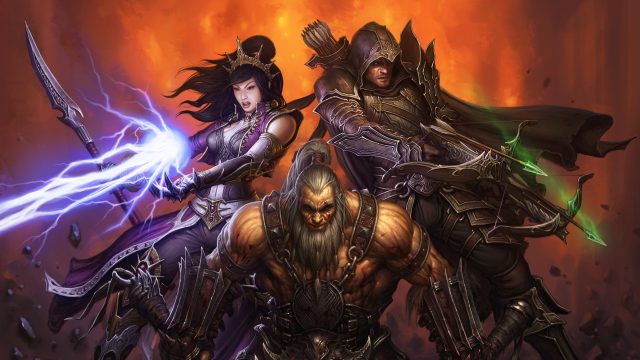
Launched in 2012, Diablo 3 revolutionized the action RPG genre, combining fast-paced gameplay with a rich narrative and immersive graphics. Players traverse the dark world of Sanctuary, battling demons and collecting loot in a quest to save humanity. With a diverse range of character classes and a community-focused multiplayer experience, Diablo 3 remains a cornerstone in the gaming world.
As of now, it continues to attract players globally, including a significant following in Southeast Asia, particularly in countries such as Indonesia, where gaming has surged in popularity. The thrilling gameplay and community elements have made it a favorite among gamers in urban centers like Jakarta and Surabaya.
Platforms Availability
Diablo 3 is accessible on several platforms, allowing players to enjoy the game wherever they are. Here’s a breakdown of the platforms:
- PC: Available via Blizzard's Battle.net client.
- Xbox One and Xbox Series X/S: Play through the Microsoft Store or Xbox Game Pass.
- PlayStation 4 and PlayStation 5: Download from the PlayStation Store.
- Nintendo Switch: Available on the Nintendo eShop.
System Requirements
Before downloading Diablo 3, it's essential to ensure that your device meets the following system requirements:
PC Requirements
- OS: Windows 7 or newer.
- Processor: Intel Core 2 Duo or AMD Athlon 64 X2.
- Memory: 4 GB RAM.
- Graphics: NVIDIA GeForce 260 or ATI Radeon HD 4870.
- Storage: At least 30 GB available space.
Console Requirements
- Xbox: An Xbox console with an active Xbox Live membership.
- PlayStation: A PlayStation console with a valid PlayStation Plus subscription for online multiplayer.
- Nintendo Switch: An online Nintendo account may be necessary for multiplayer features.
How to Download Diablo 3
Ready to jump into action? Follow these straightforward steps to download Diablo 3 on your preferred platform:
For PC
- Visit the official Battle.net website.
- Create or log in to your Blizzard account.
- Download the Battle.net client.
- Once installed, open the client and navigate to Diablo 3.
- Click 'Install' and follow the prompts.
For Xbox
- Turn on your Xbox console.
- Access the Microsoft Store from the main menu.
- Search for Diablo 3.
- Select the game and choose 'Download' or 'Play Now' if available through Xbox Game Pass.
For PlayStation
- Start your PlayStation console.
- Navigate to the PlayStation Store.
- Type Diablo 3 in the search bar.
- Select 'Download' and wait for the installation to complete.
For Nintendo Switch
- Access the Nintendo eShop on your Switch.
- Search for Diablo 3.
- Click on 'Download' and follow any additional prompts.
Conclusion
Diablo 3 continues to captivate players with its engaging storyline and dynamic gameplay, making it a must-play for RPG fans. Whether you're a newcomer or a returning player, downloading the game is straightforward across various platforms. Don't miss out on the action—explore the dark depths of Sanctuary and join millions of players worldwide. Get started today and experience what makes Diablo 3 a timeless classic!
Latest news
-

Mobile Gaming Access
Discover the best mobile gaming accessories that can elevate your gaming experience to the next level! -
Game Streaming vs. T
Explore the differences between game streaming and traditional mobile gaming to find out which is best for you! -
Exploring the Best A
Discover the best Android emulators for gaming. Play your favorite mobile games on PC with these top picks! -
Epic Games Store: A
Discover how the Epic Games Store is changing the landscape for mobile gamers with exclusive titles and offers! -
The Best Educational
Discover the best educational games available on mobile that make learning fun and engaging for all ages -
Exploring the Best A
Set out on epic quests with the best adventure games available on mobile. Discover immersive stories and thrilling gamep... -
Discovering the Best
Experience the excitement of racing games on Android. Discover the best titles that offer speed, thrills, and adrenaline -
The Best Mobile Game
Discover the best mobile games of 2023 that you need to download now for an exhilarating gaming experience