
Discover the Latest World War 3 Shooter Demo and How to Download
Key Takeaways
- The World War 3 shooter demo is currently live for select platforms.
- Players can explore all features of the game during the demo period.
- The demo includes the first major content update since its release.
- Participating in the demo can help revive the game’s player base.
- Available on major platforms including PC and consoles.
Overview of World War 3 Shooter
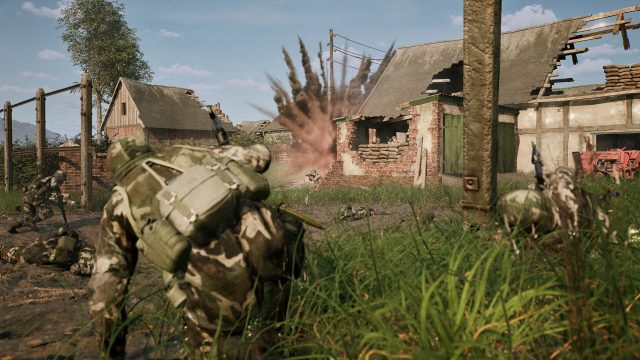
World War 3 is a tactical multiplayer shooter that immerses players in realistic combat scenarios set in modern warfare environments. Developed with an emphasis on teamwork and strategy, it captures the essence of intense battles. The game has evolved since its initial release, facing challenges while striving to enhance player experience through significant updates and content releases.
Platform Availability
The World War 3 Shooter is available across various platforms, ensuring a wide range of accessibility for players. Currently, you can download the game on:
- Steam
- Epic Games Store
- Console platforms such as Xbox and PlayStation (check the respective stores for availability).
System Requirements
To ensure a smooth gaming experience with World War 3, it’s crucial to have the necessary system specifications. Below are the minimum and recommended system requirements:
Minimum Requirements
- OS: Windows 10 (64-bit)
- Processor: Intel Core i5-2400 / AMD FX-8320
- Memory: 8 GB RAM
- Graphics: NVIDIA GeForce GTX 660 / AMD Radeon HD 7870
- DirectX: Version 11
- Network: Broadband Internet connection
- Storage: 20 GB available space
Recommended Requirements
- OS: Windows 10 (64-bit)
- Processor: Intel Core i7-4790 / AMD Ryzen 5 1600
- Memory: 16 GB RAM
- Graphics: NVIDIA GeForce GTX 1060 / AMD Radeon RX 580
- DirectX: Version 11
- Network: Broadband Internet connection
- Storage: 20 GB available space
How to Download
Downloading the World War 3 Shooter demo is straightforward. Follow these steps to get started:
- Visit the official game page on the platform of your choice, such as Steam or Epic Games Store.
- If you don’t have an account, create one on the platform.
- Search for 'World War 3' in the store's search bar.
- Click on the game title and select the demo version if available.
- Hit the download button and follow the on-screen instructions to install the game.
- Once installed, open the game and begin your combat experience.
Conclusion
The World War 3 Shooter demo presents a unique opportunity for players to delve into an exciting tactical gameplay experience. With the availability of the latest updates and content, now is the perfect time to engage with this shooter. Download the demo today and join the fight!
Latest news
-

Ultimate Guide to Do
Learn how to download Disney Dreamlight Valley for mobile. Follow our step-by-step guide and enjoy this enchanting game ... -
Get Ready for Hellra
Discover how to download Hellraiser: Revival for Switch 2 launching October 2026. Get all the details now! -
Unlocking the Thrill
Discover how to download Modern Warfare 4 easily with our complete guide. Get started today and elevate your gaming expe... -
Game: Report: No gam
Discover expert insights on game. No single gaming experience appeals to more than 26% of players worldwide as demand sp... -
Your Complete Guide
Discover how to download popular slot games like King 9999 and Indobet88. Explore system requirements and installation s... -
The Rise of Affordab
Explore the world of budget-friendly handheld gaming devices today. Learn how to download, install, and enjoy the latest... -
Unlock the Fun: How
Discover how to download The Binding of Isaac: Repentance+. Learn system requirements, platforms, and installation steps... -

Unlock Your Gaming A
Discover the latest mobile games, including how to download and install them easily. Join the gaming revolution today!