
The Ultimate Guide to Downloading Worming From Home
Key Takeaways
- Worming From Home offers a quirky gaming experience.
- Available exclusively on Steam for PC users.
- Developed by a two-person team, showcasing indie talent.
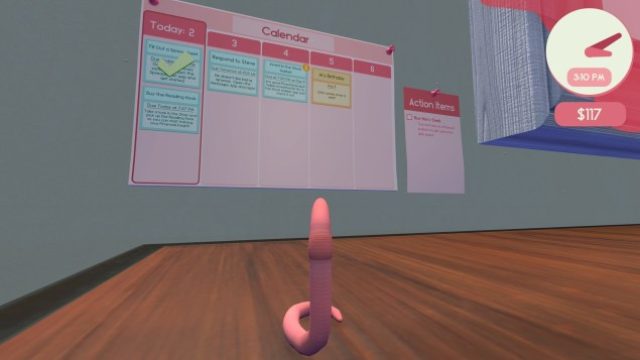
- Engage in a humorous take on remote work from a worm's perspective.
- System requirements are minimal, making it accessible for many.
Overview of Worming From Home
Worming From Home is a delightful simulation game that turns the conventional work-from-home routine upside down. Released in September 2023, this game invites players to step into the role of a worm navigating the challenges of remote work. With its unique premise and light-hearted humor, Worming From Home has quickly gained traction in the gaming community, especially among fans of simulation games. The game’s engaging mechanics provide a fresh perspective on daily tasks, making it a must-try for those looking for something different.
Platform Availability
Currently, Worming From Home is available exclusively on Steam. This platform is known for its extensive collection of indie games, making it an ideal place to discover and enjoy creative titles like this one. As it stands, there are no announcements regarding its release on other platforms such as consoles or mobile devices, so Steam remains the primary source for this game.
System Requirements
Before downloading Worming From Home, it's essential to ensure your system meets the necessary requirements:
Minimum Requirements
- OS: Windows 10 (64-bit)
- Processor: Intel Core i3 or equivalent
- Memory: 4 GB RAM
- Graphics: NVIDIA GeForce GTX 660 / AMD Radeon HD 7870
- DirectX: Version 11
- Storage: 2 GB available space
Recommended Requirements
- OS: Windows 10 (64-bit)
- Processor: Intel Core i5 or equivalent
- Memory: 8 GB RAM
- Graphics: NVIDIA GeForce GTX 970 / AMD Radeon R9 290
- DirectX: Version 11
- Storage: 2 GB available space
These requirements ensure you have an optimal gaming experience, with smooth graphics and responsive gameplay.
How to Download
Getting your hands on Worming From Home is a straightforward process. Here’s how to download it from Steam:
- Visit the Steam store page for Worming From Home.
- If you don’t have a Steam account, create one by clicking on the “Join Steam” button.
- Once logged in, click on the “Add to Cart” button on the game's page.
- Proceed to checkout and complete your purchase.
- After purchasing, the game will be added to your library.
- Navigate to your library, find Worming From Home, and click “Install” to start the download.
Ensure you have sufficient disk space before installation, and once downloaded, you can enjoy the quirky adventures of a worm navigating the remote work landscape.
Conclusion
Worming From Home presents a charming twist on the simulation genre, appealing to gamers with its innovative concept and lighthearted gameplay. With availability exclusively on Steam, it's easily accessible for players eager to explore this unique experience. Whether you're a casual gamer or a simulation enthusiast, downloading Worming From Home is a fantastic choice to enjoy a different kind of gaming adventure.
Latest news
-

The Ultimate Guide t
Learn how to safely download and install Android games on your mobile device. Step-by-step instructions and helpful tips -
Unlocking Exciting G
Discover how to download Lightning Casino Bonanza for Android. Get insights on system requirements, gameplay, and instal... -
Ultimate Guide to Do
Discover how to download the latest Android mobile games with our step-by-step guide. Unlock gaming now! -
-
Indie Games to Check
Explore unique and innovative indie games available on Android that you need to check out -

Ultimate Download Gu
Discover how to download The Blood of Dawnwalker, including system requirements and installation steps to enhance your g... -
Exploring the Best C
Discover the best cross-platform mobile games that you can play on Android and iOS. Enjoy seamless gaming with friends a... -
Unlock Your Adventur
Learn how to download Breathedge on various platforms. Explore system requirements and installation steps for an enjoyab...