
Essential Guide to Downloading Fallout 4 Updates and Managing Mods
Key Takeaways
- Regular updates can impact existing mods in Fallout 4.
- Backup your mods before installing any new updates.
- Check official platforms for the latest updates and patch notes.
- Modding communities provide resources for troubleshooting issues.
- Fallout 4 remains popular in Southeast Asia, attracting dedicated players.
Overview of Fallout 4
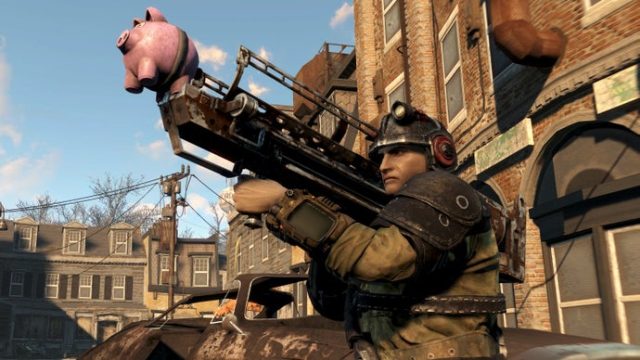
Fallout 4 is an acclaimed action RPG from Bethesda Softworks that immerses players in a post-apocalyptic world filled with engaging quests, powerful factions, and in-depth character customization. Released in November 2015, it has maintained a loyal following thanks to its extensive modding community. Players can create their own experiences, adding new features, quests, and items that enhance gameplay significantly. However, with each new update, there is a risk that mods may become incompatible, which is why keeping abreast of updates and managing mod installations is critical.
Platform Availability
Fallout 4 is available on various platforms, ensuring players can access the game regardless of their preferred gaming system. Here are the platforms where you can find Fallout 4:
- PC: Available on Steam and the Bethesda Launcher.
- PlayStation: PlayStation 4 and PlayStation 5 via the PlayStation Store.
- Xbox: Xbox One and Xbox Series X|S through the Xbox Store.
- Nintendo Switch: Unfortunately, Fallout 4 is not available on Switch.
System Requirements
Before downloading Fallout 4 or its updates, ensure your system meets the necessary specifications for optimal performance. Here are the minimum and recommended requirements:
Minimum Requirements:
- OS: Windows 7/8/10 (64-bit)
- Processor: Intel Core i5-2300 or AMD Phenom II X4 945
- Memory: 8 GB RAM
- Graphics: NVIDIA GTX 550 / ATI 6850 (1GB VRAM)
- DirectX: Version 11
- Storage: 30 GB free disk space
Recommended Requirements:
- OS: Windows 7/8/10 (64-bit)
- Processor: Intel Core i7 4790 / AMD FX-8350
- Memory: 8 GB RAM
- Graphics: NVIDIA GTX 780 / ATI R9 290
- DirectX: Version 11
- Storage: 30 GB free disk space
Download
To download Fallout 4 and its latest updates, follow the steps outlined below. Before proceeding with any update, always ensure that your existing mods are backed up to avoid any loss of your custom content.
Steps to Download Fallout 4 and Updates
- Navigate to the Platform: Open Steam, the Bethesda Launcher, or your console’s store.
- Search for Fallout 4: Use the search function to locate Fallout 4. If you’re already a player, find it in your library.
- Check for Updates: If you have the game installed, confirm whether any updates are available. Steam users can usually update automatically.
- Backup Mods: Before applying any updates, ensure your mods are backed up from the game’s data folder.
- Install the Update: Follow on-screen prompts to download and install the latest updates.
- Test Your Mods: After updating, launch Fallout 4 and check that your mods work correctly. If issues arise, consult modding forums for solutions.
Managing Mods After Updates
Updates can impact your gameplay, especially when using mods. Here’s how to manage them effectively:
Backup and Restore
- Always create a backup of your mod files before running updates.
- Use tools like Mod Organizer 2 or Nexus Mod Manager for easier mod management.
Check Mod Compatibility
- After an update, verify whether your mods are compatible with the new game version.
- Visit mod forums and communities for updates related to specific mods.
Staying Informed
- Follow Bethesda’s official channels for announcements on updates and patch notes.
- Engage with the modding community to share experiences and solutions.
Conclusion
Staying current with Fallout 4 updates is essential for an optimal gaming experience, particularly for mod users. By adhering to the download steps and managing your mods wisely, you can enjoy the game to its fullest while avoiding common pitfalls associated with updates. Engage with the vibrant modding community to enhance your adventures in the Commonwealth and keep your gameplay fresh and exciting.
Latest news
-

Unlocking the Best M
Discover the best mobile games to download in 2023, featuring top titles available on Android and iOS -
The Ultimate Guide t
Unlock the excitement of gbo007 and other slot games. Download now for thrilling gameplay and rewards! -
Unlocking the Magic:
Discover how to download Disney games on Xbox. Get system requirements, installation steps, and platform availability no... -
How to Effortlessly
Explore our detailed guide on downloading the latest Android games with ease. Get started today and level up your gaming... -
Unlock the Adventure
Discover how to download Pokémon Pokopia, including system requirements and installation steps for your device -
Your Guide to Downlo
Learn how to download Kingdom Hearts on Android and other platforms. Explore our comprehensive guide now! -
Essential Guide to D
Learn how to download Phantom Blade Zero on PS5 with our step-by-step guide. Get ready to dive into this exciting game n... -
Unlocking The Simpso
Discover how to download The Simpsons game on multiple platforms. Learn about system requirements and installation steps...