
Essential Guide for Migrating Pokémon from Bank to Home
Key Takeaways
- Migration is essential before February 2027.
- Pokémon Bank ceases operations on February 26, 2027.
- All migrated Pokémon can be accessed in Pokémon Home.
- Steps to migrate include downloading both apps.
- The process ensures your Pokémon remain safe and secure.
Overview
The Pokémon franchise has captivated audiences for decades, and with the introduction of Pokémon Home, players need to ensure their beloved Pokémon are migrated from Pokémon Bank. As Pokémon Bank will be shutting down in February 2027, the migration process has become a pressing concern for fans eager to maintain their collections. This guide provides a comprehensive look at the migration process, including necessary steps and system requirements.
Platform Availability
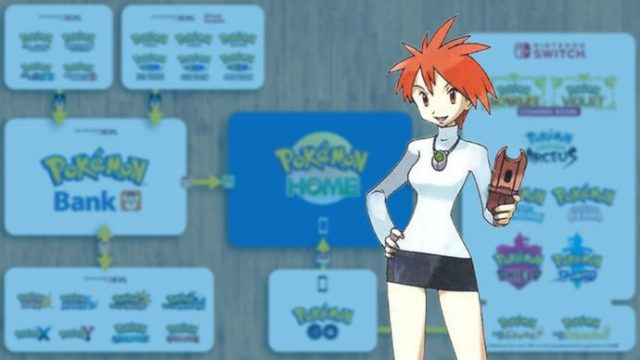
Pokémon Bank was initially released for the Nintendo 3DS, while Pokémon Home is available on multiple platforms:
- Nintendo Switch
- iOS (via Apple App Store)
- Android (via Google Play)
Whether you're gaming on mobile or console, Pokémon Home is designed to be easily accessible to all players, making it integral for preserving your Pokémon collection.
System Requirements
To successfully download and use Pokémon Home, ensure your device meets the following criteria:
For Android Users:
- Android version 6.0 or higher
- At least 100 MB of free storage
- A stable internet connection
For iOS Users:
- iOS version 10.0 or higher
- At least 100 MB of free storage
- A stable internet connection
How to Download
Follow these steps to download Pokémon Home:
For Android Users:
- Open the Google Play Store.
- Search for "Pokémon Home".
- Tap on the app and select "Install".
- Once installed, open the game and follow the on-screen instructions to set up your account.
For iOS Users:
- Open the Apple App Store.
- Search for "Pokémon Home".
- Select the app and tap "Get" to download.
- After installation, follow the setup instructions to access your Pokémon.
Migrating Your Pokémon
Once you have Pokémon Home installed, follow these steps to migrate your Pokémon from Bank:
- Open Pokémon Bank on your Nintendo 3DS.
- Select the Pokémon you wish to transfer.
- Choose the option to migrate to Pokémon Home.
- Follow the prompts to complete the migration process.
Conclusion
The imminent shutdown of Pokémon Bank is a critical moment for all Pokémon trainers. By understanding the migration process and ensuring your devices meet the necessary requirements, you can secure your beloved Pokémon in Pokémon Home. With the deadline approaching, now is the time to act and preserve your collection for future adventures!
Latest news
-

Game: 'Marvel Tokon'
Discover expert insights on game. The Android mobile game APK guides sector continues to evolve with new trends and best... -

Unlocking the Secret
Discover how to download GRAIN ROT APK on Android. Explore requirements, installation steps, and platform options. Start... -
Master the Latest Mo
Explore the latest trends in mobile gaming with our comprehensive guide on downloading APKs for Android, iOS, Steam, and... -
Top 5 Android Games
Discover the top 5 Android games you must play before considering downloads from Epic Games. Get tips, reviews, and game... -
Your Ultimate Guide
Learn how to download The Lord of the Rings game with our detailed guide. Get tips on system requirements and install st... -
Epic Games vs. Steam
Compare Epic Games and Steam to find out which platform is better for mobile gamers. Explore their features and offering... -
Why Downloading Game
Explore the importance of downloading games from Steam for gamers. Find out why it’s the preferred platform in 2023 -
Discover How to Down
Learn how to download Coyote vs. Acme on various platforms today. Get step-by-step installation instructions and system ...