
Discover How to Download Witcher 3 Mod The WAR Project
Key Takeaways
- The WAR Project mod enhances Witcher 3 with restored quests.
- Official downloads are available on Nexus Mods.
- Installation requires compatible system specifications.
- Community feedback is shaping mod development.
- The mod aims to enrich storytelling in the game.
Overview of The WAR Project
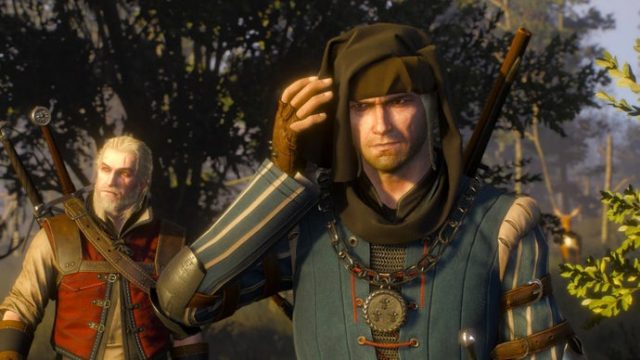
The WAR Project is an ambitious mod for The Witcher 3: Wild Hunt, designed to restore cut quests and enrich the narrative experience. As gaming enthusiasts and creators continue to push the boundaries of video game storytelling, this mod stands out for its dedication to preserving the original vision of the game. With a team of passionate developers and a strong following, The WAR Project aims to reinvigorate the beloved world of Geralt of Rivia with fresh content and voices.
Platform Availability
The WAR Project is primarily available on PC through the Nexus Mods platform. This allows players with the PC version of The Witcher 3 to easily access a plethora of enhancements. Unfortunately, console users on PlayStation or Xbox will not have access to this mod, as it is tailored specifically for the PC ecosystem.
System Requirements
Before diving into the installation process, ensure your system meets the following requirements to run both The Witcher 3 and The WAR Project mod:
- OS: Windows 7 or newer
- Processor: Intel Core i5-2500K or AMD FX-8350
- Memory: 6 GB RAM
- Graphics: NVIDIA GeForce GTX 770 or AMD Radeon R9 290
- DirectX: Version 11
- Storage: Minimum 35 GB available space
How to Download
To install The WAR Project mod, follow these steps:
- Visit the Nexus Mods website and search for The WAR Project.
- Create a free account if you don't have one already.
- Find the mod file and click on the download button—select the manual download option for ease.
- Once downloaded, extract the mod files using a program like WinRAR or 7-Zip.
- Copy the extracted folder into your Witcher 3 mods directory, usually found under:
C:\Program Files (x86)\Steam\steamapps\common\The Witcher 3\mods. - Launch The Witcher 3 and enjoy your enhanced gaming experience!
Community Impact and Future of The WAR Project
The development team behind The WAR Project emphasizes the importance of community involvement. Feedback from players is actively shaping the direction of the mod, ensuring it meets the expectations of the Witcher fandom. Updates are anticipated as the team works to fine-tune the experience, making it essential for players to stay engaged through platforms like Discord and their official updates page.
Conclusion
The WAR Project is a testament to the dedicated fanbase of The Witcher 3, providing enthusiasts with a chance to experience previously cut content. By following the outlined steps, players can revitalize their adventures in this immersive world. Don’t miss out on this opportunity to enhance your Witcher experience—download The WAR Project today!
Latest news
-

How to Optimize Your
Learn strategies to optimize your mobile game downloads on Android and iOS. Improve visibility and gain more players tod... -
The Ultimate Guide t
Learn how to download popular indie games on mobile devices with our comprehensive guide. Step-by-step instructions incl... -
Discover MAFATE: How
Learn how to download MAFATE and discover the gameplay features that make it a must-try in 2023! -
Navigate the Excitin
Discover how to download Fortnite‘s new season, featuring gaming icons, and explore the latest updates. Join the fun tod... -
Essential Guide to D
Discover how to download Oblivion Remastered for your Switch 2. Follow our guide for system requirements, installation s... -
Unlock the Magic of
Discover how to download Fire Emblem: Fortune‘s Weave for mobile. Get system requirements and installation steps now -

Your Ultimate Guide
Discover how to download jackpot casino games. Follow our comprehensive guide to enjoy exciting online gambling experien... -
Complete Guide to Do
Explore our comprehensive guide to downloading Mortal Shell 2 for an immersive gaming experience. Learn how to access th...