
Explore the New Disc-to-Digital Program for Xbox Gamers
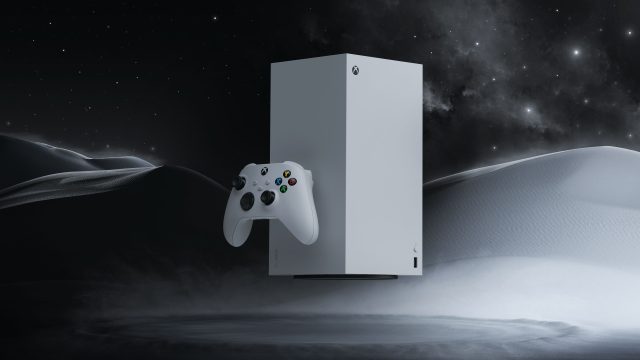
Key Takeaways
- The disc-to-digital program launches at the end of the month.
- Players can transition select Xbox One and Series X/S titles to digital format.
- This initiative caters to gamers seeking more flexible gaming options.
- Expect a streamlined process for converting physical games to digital.
- The program reflects Microsoft’s commitment to evolving gaming experiences.
Overview
As the gaming landscape evolves, Xbox introduces a forward-thinking solution aimed at enhancing the player experience. Starting next week, gamers can participate in the disc-to-digital program, which allows them to convert their physical game discs into digital copies. This initiative comes as an answer to the growing demand for convenience in accessing games, enabling players to enjoy their favorite titles without the need for a physical disc.
Platform Availability
The disc-to-digital program will be available for select games on Xbox One and Xbox Series X/S. Players can initiate the conversion at participating retail locations, ensuring a seamless transition from physical to digital gameplay. By making this service accessible, Microsoft aims to enhance the gaming experience across its platforms, particularly in regions like Southeast Asia, where gaming is rapidly expanding.
System Requirements
To utilize the disc-to-digital program effectively, players need the following:
- Xbox One or Xbox Series X/S console.
- Stable internet connection for downloading the digital version.
- Participating retail store for disc verification.
How to Download
Here’s a simple guide to get you started with the disc-to-digital program:
- Visit a participating retail store equipped to handle the conversion.
- Bring along your physical game disc that you wish to convert.
- Follow the retailer’s instructions to validate your disc.
- Once verified, you will receive a digital download code or directly download the game onto your console.
- Enjoy your game digitally without the hassle of physical media!
Why It Matters Now
The introduction of the disc-to-digital program comes at a crucial time when many gamers are seeking more efficient ways to access their games. As digital libraries expand, the demand for physical media diminishes. This program not only reflects Microsoft's adaptability in the gaming market but also addresses the needs of gamers in high-demand regions like Indonesia, where digital gaming is on the rise. By making this option available, Xbox empowers players to embrace digital gaming while still appreciating their physical collections.
Frequently Asked Questions
What is the disc-to-digital program?
The disc-to-digital program allows Xbox gamers to convert their physical game discs into digital copies for easier access and play.
How do I participate in the program?
Visit a participating retail store, bring your game disc, and follow their conversion process to obtain a digital version.
Which games are eligible for conversion?
Currently, select titles for Xbox One and Series X/S are included in the program, with more details available at participating retailers.
Is there a cost associated with the conversion?
Specific costs may vary by retailer, so it's best to check directly with the store where you plan to convert your games.
What are the benefits of going digital?
Going digital enhances convenience, allowing for immediate access to games without the need for physical storage and management.
Latest news
-

Experience State of
Learn how to download State of Decay 3, its system requirements, and availability on various platforms. Get ready for su... -

Your Ultimate Guide
Learn how to download Mega Man: Dual Override across platforms. Get system requirements, installation steps, and key ins... -
Unleashing The Witch
Discover how to download and play The Witcher 3: Wild Hunt on Battle.net. Get ready for a thrilling adventure with this ... -
Exciting Guide to Do
Get ready for GTA 6! Explore our comprehensive guide to download, system requirements, and installation steps. Join the ... -
Crazy Taxi: World To
Get ready to hit the streets! Download Crazy Taxi: World Tour for PS5 today. Follow our easy steps to start your global ... -
Unlocking the Future
Discover how to download the newest Xbox games and optimize your gaming experience. Explore platform availability and sy... -
Unlock the Secrets o
Discover how to download Mortal Shell 2 Night Mode. Get tips, tricks, and insights for an immersive gaming experience no... -
Your Ultimate Guide
Discover how to download The Witcher 3 Remastered for free and enjoy its latest features. Follow our comprehensive guide...